


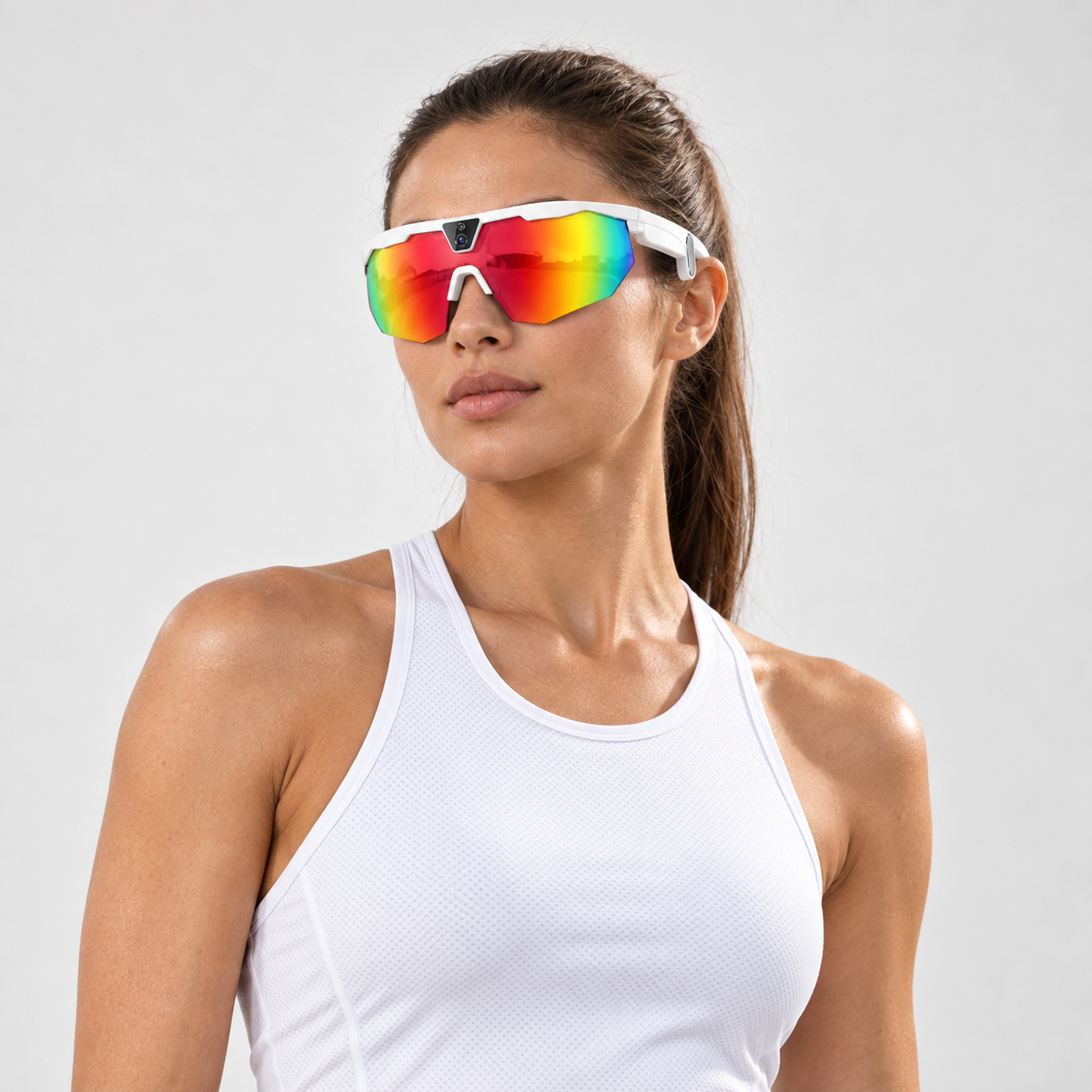


BIVDIKO W640 Smart Sports Glasses
W640 sports camera glasses with POV recording and open-ear audio. Import selected clips into the BIVDIKO App for manual review.
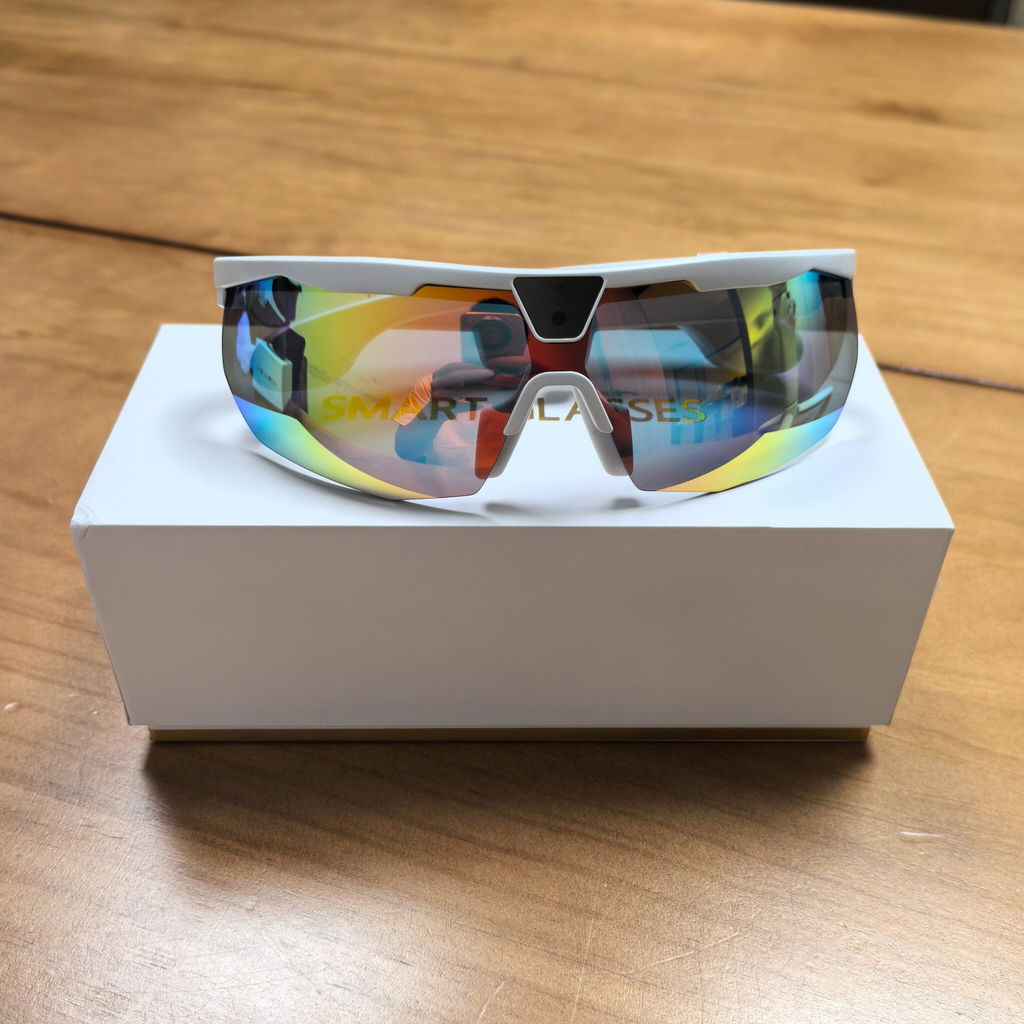
White frame: smoke lens installed + extra Rainbow replacement lens.
Black frame: smoke lens installed + extra photochromic replacement lens.
Free Standard Shipping — no minimum to the 48 contiguous U.S. states and Washington, DC. Normally dispatches within 1 business day. Delivery details · 14-day returns.
Your purchase is covered by a 12-month product warranty provided by AuraSight Tech Limited / BIVDIKO. For warranty support, contact support@bivdiko.com.
Paid orders normally dispatch within 1 business day. Estimated Standard Shipping delivery: 5–8 business days after dispatch.
Free Standard Shipping on all orders to the 48 contiguous United States and Washington, DC. No minimum order. We do not ship to Alaska, Hawaii, U.S. territories, or APO/FPO/DPO addresses. Full shipping policy.
Return requests may be submitted within 14 days after delivery, subject to eligibility. Return conditions and instructions.
Email support@bivdiko.com or contact Phone / WhatsApp at +1 307 220 1182.
BIVDIKO W640 Smart Sports Glasses
Sale price$119.00
REAL POV FOOTAGE
See What the Camera Sees.
Watch real first-person baseball footage captured with BIVDIKO Smart Sports Glasses during practice.
Actual footage captured with BIVDIKO Smart Sports Glasses. Video quality may vary with movement and lighting.
IN THE BOX
Your complete kit.
One pair of glasses, with the items below.


Also included · 1 of each


Also included · 1 of each
GLASSES + BIVDIKO APP
Record. Connect. Review. Share.
See what your glasses and the App can do together.


j
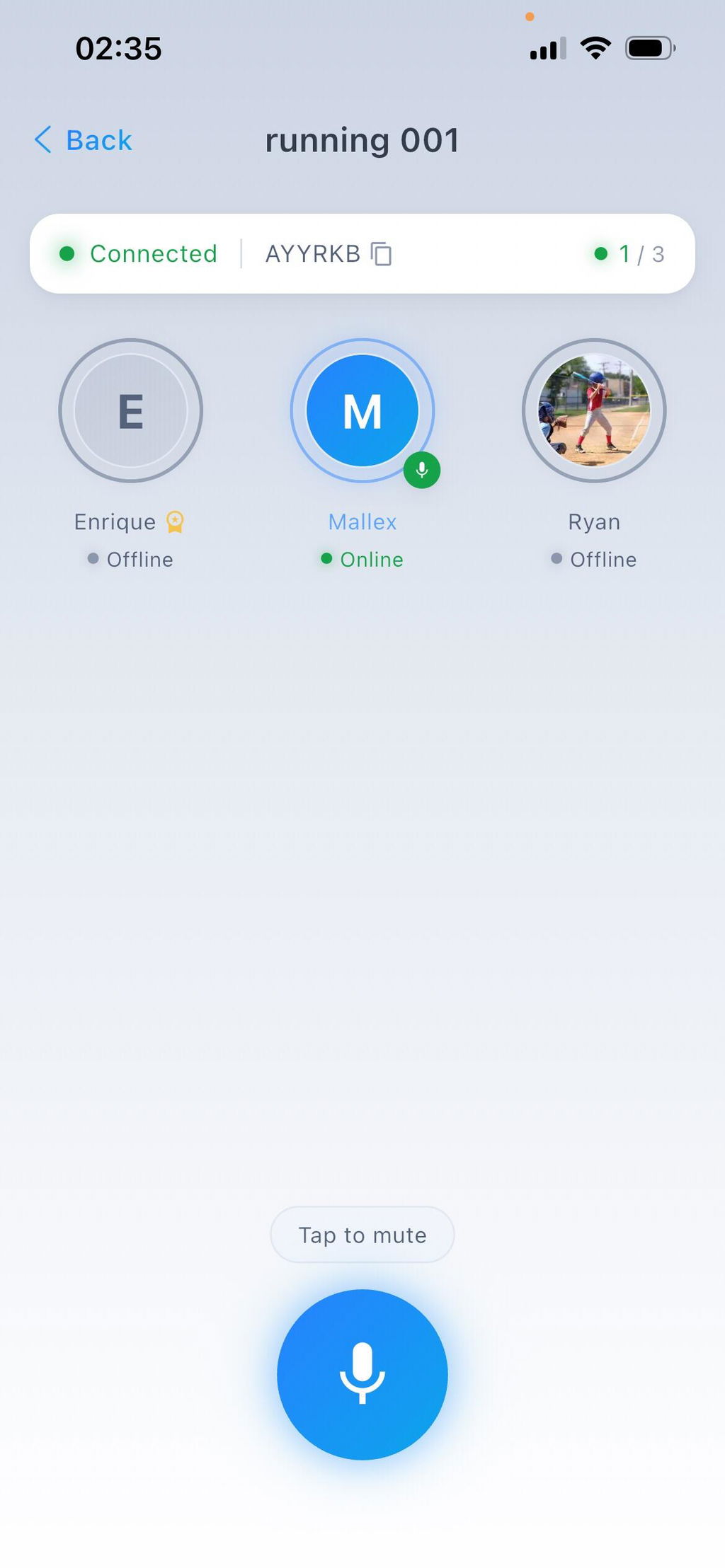
I thought this was just an ordinary pair of glasses until I opened its software. I discovered that their software had a call function. I live in New York and made a call to my friend in California without spending a penny, which was unexpected for me. As for other features, I haven't tried them yet
W
Great smart glasses for the price! ⭐⭐⭐⭐⭐
I’ve been using the BIVDIKO Smart Sports Glasses almost every day for the past week since I bought it, not only for sports recording but also when I want to keep my hands free.
I especially love the intercom and open-ear audio features. The glasses work like a Bluetooth speaker. I can listen to music and take phone calls without wearing earbuds.
For around $120, this is a great value for a multifunctional smart glasses. Highly recommended!
Tip: Get two pairs if you want to try the intercom feature with family or friends—it’s a lot of fun!
R
I truly believe this pair of glasses has been very helpful for me. My friends have all recommended them.
THE HARDWARE
Key specifications.
Camera, weight, protection and battery life.
- Camera sensor
- 8MP
- Video
- 1200p
- Stabilization
- 6-axis + EIS
- Total weight
- 49 g
- Dust and water resistance
- IP66
- Music playback
- Approx. 10 h
Music playback estimate supplied by the manufacturer. Actual runtime varies.
View full specificationsHide full specifications
- Camera sensor
- 8MP. JPEG photos at 6560 × 4928; photo output resolution differs from sensor resolution.
- Video
- 1200p. MP4; 16:9 landscape and 9:16 portrait.
- Stabilization
- 6-axis + EIS. Six-axis gyroscope with electronic image stabilization.
- Total weight
- 49 g. TR frame material.
- Dust and water resistance
- IP66. Do not submerge the glasses.
- Battery
- 290 mAh. USB-C charging.
- Music playback
- Approx. 10 h. 7+ days of standby. Runtime varies with use; this is not video recording time.
- Media transfer
- Wi-Fi. Transfer photos, videos and audio recordings to the App.
- ENC noise reduction
- Dual microphones. Helps reduce noise picked up by the microphones.
- Volume adjustment
- Touch controls. Slide to adjust volume; tap controls supported.
- Photo and video capture
- Voice control. With the glasses powered on and connected to your phone.
EASY TO USE
Three ways to capture.
Use the glasses, the App or your voice.

Control from the frame.
Left button: press and hold to start audio recording. Press once while recording to stop.
Right button: press once to take a photo; press twice to start video. Press once while filming to stop.

Tap to capture.
Connect your glasses, then use the photo, video or audio recording button in the BIVDIKO App.

Say it. Capture it.
With the glasses powered on and connected to your phone, say take photo or take video.
Voice commands cannot stop video recording. Set the recording duration in the App, or press the right button once while filming to stop.

OPEN-EAR AUDIO
Your sound. An open-ear fit.
Listen through speakers built into the glasses, with your ears uncovered.

INTERCOM
One-to-one. Or the whole team.
Talk one-to-one or with your group through the BIVDIKO App.
Requires a connected phone and internet.

PHOTO REVIEW
Review one photo. Compare two.
Mark up one image or compare two side by side. Import, annotate and save your review.

VIDEO REVIEW
Manual Video Review & Comparison
Step through frames, add your own annotations and compare clips. Save or export the result.
Review is manual. You can also import footage filmed on your phone.

FIT & COMFORT
Made for your next session.
A lightweight TR frame with a built-in camera and open-ear speakers.

REPLACEABLE LENS
Change your lens.
See how to remove the shield and fit a replacement lens.
BIVDIKO W640: official product and App guide
BIVDIKO W640 Smart Sports Glasses combine a first-person camera, open-ear audio and app-connected communication. This guide applies to W640; use the specifications for your own model when comparing BIVDIKO products.
Use the official BIVDIKO App download page and App tutorial. Manually import selected media, review one item or compare two, add your own annotations, then save or export the result. The App does not automatically analyze sports technique.
A POV recording follows the direction of your head. Add an external camera view when you need to see your complete swing, posture or footwork.
Explore product answers and practical guides
- Smart sports glasses FAQ — camera, App, intercom, storage and accessories.
- POV glasses or an external camera? — choose the view that answers your practice question.
- Manual sports video review — import, compare, annotate and save selected results.
- Replacement lens guide — check compatibility and package contents.
BEFORE YOU BUY
Questions? Start here.
Quick answers about the glasses and the App.
Do I need a phone?
Use a connected phone and the BIVDIKO App for intercom, importing media and reviewing recordings. Voice capture commands also require a phone connection.
Can the glasses film my full body?
The camera records where your head is facing. To review your whole swing or running form, import footage filmed from an external camera angle.
Is the analysis automatic?
No. You or your coach review the media and manually add drawings, angles and notes.
Can I import my own photos and videos?
Yes. Import selected media into the App album, then open one item or select two items to compare.
Does a kit include two pairs of glasses?
No. Each kit includes one pair of glasses, one spare lens and the accessories shown for your selected frame.